If you run a blog, you have probably heard that you need to “submit your sitemap.” Then you open Google Search Console, see a red error like “Couldn’t fetch,” and have no idea what went wrong.
This guide explains what a sitemap is, the rules it follows, and the problems people run into most often. It is written for beginners, but the fixes apply to bigger sites too.
What Is a Sitemap?
A sitemap is a file that lists the pages on your website you want search engines to find. Think of it as a table of contents for Googlebot. Without one, search engines rely on following links from page to page, which can leave new or poorly linked posts undiscovered for a long time.
One thing to understand early is that a sitemap is a hint, not a guarantee. Submitting one helps search engines discover your pages, but it does not force them to index or rank those pages. Google explains this in its sitemap overview.
Types of sitemaps
- XML sitemap: the standard file that search engines read.
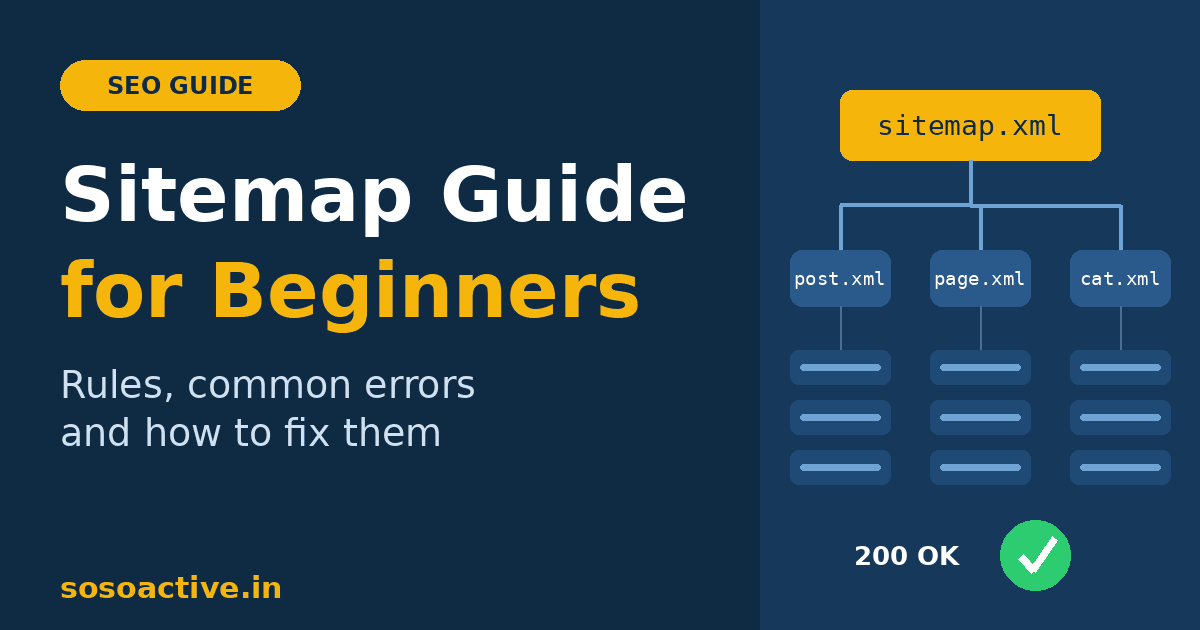
- Sitemap index: a master file that points to several smaller sitemaps. WordPress SEO plugins usually create one, for example
sitemap_index.xml. - Image, video, and news sitemaps: specialised versions for those content types.
- HTML sitemap: a normal web page for human visitors that also helps internal linking.
The Rules Every Sitemap Must Follow
There are no legal “terms and conditions” for sitemaps. You follow the Sitemaps protocol plus search engine guidelines. The main technical limits are:
| Rule | Requirement |
|---|---|
| URLs per file | Maximum 50,000 |
| File size | Maximum 50 MB uncompressed (gzip is allowed) |
| Encoding | UTF-8 |
| URL format | Absolute URLs, including https:// and the domain |
| Special characters | Must be escaped (for example, & becomes &) |
| Scope | Only URLs on the same host and protocol as the sitemap |
| Location | Best placed in the site root, because a sitemap can only list URLs at or below its own folder |
If your site outgrows these limits, split it into several sitemaps and list them in a sitemap index.
A basic sitemap entry looks like this:
xml
<?xml version="1.0" encoding="UTF-8"?>
<urlset xmlns="http://www.sitemaps.org/schemas/sitemap/0.9">
  <url>
    <loc>https://www.sosoactive.in/how-to-do-a-swot-analysis/</loc>
    <lastmod>2026-09-29</lastmod>
  </url>
</urlset>
Only <loc> is required. The <lastmod> tag helps when it is accurate, but update it only when the content really changes. Google has said it ignores <priority> and <changefreq>, so you can skip them. The Google guide to building a sitemap covers the details.
What to Include (and What to Leave Out)
A clean sitemap lists only pages that deserve to appear in search results.
Include:
- Canonical URLs
- Pages that return a 200 (OK) status
- Pages without a
noindextag - Your most valuable posts and pages
Leave out:
- Redirected URLs (301 or 302)
- Deleted pages (404 or 410)
noindexpages- Pages blocked in robots.txt
- Duplicate or parameter URLs (for example,
?replytocom=) - Thin pages such as tag archives, attachment pages, and internal search results
- Login, cart, checkout, or admin pages
Sending mixed signals, such as listing a page in your sitemap while also marking it noindex, is one of the most common reasons for confusing reports in Search Console.
How to Submit Your Sitemap
- Google Search Console: open Sitemaps, type your sitemap URL, and click Submit.
- Bing Webmaster Tools: submit it in Bing Webmaster Tools, or import your site from Search Console.
- robots.txt: add one line so every crawler can find it:
Sitemap: https://www.sosoactive.in/sitemap_index.xml
- IndexNow (optional): IndexNow lets you notify participating engines such as Bing and Yandex instantly when a URL changes. Google does not support it.
Google retired its old sitemap “ping” feature in 2023, so Search Console and robots.txt are the right methods now.
Common Sitemap Errors and How to Fix Them
Errors in the Sitemaps report
| Error | Likely cause | Fix |
|---|---|---|
| Couldn’t fetch | Wrong URL, server error, or a firewall or CDN blocking Googlebot | Open the URL in your browser, confirm it loads, allow Googlebot, then resubmit |
| Sitemap could not be read | Broken XML or a plugin conflict | Validate the XML and disable any duplicate sitemap generator |
| Sitemap is HTML | A cache, theme, or redirect is serving a page instead of XML | Exclude the sitemap from caching and check redirects |
| Parsing error | Missing tags, unescaped &, or stray whitespace before <?xml | Fix the syntax |
| Sitemap too big | Over 50,000 URLs or 50 MB | Split it using a sitemap index |
| URL not allowed | The URL uses a different host, protocol, or path than the sitemap | Match www/non-www and http/https |
| Invalid date or URL | Wrong lastmod format or a malformed <loc> | Use YYYY-MM-DD and full, correct URLs |
| 404, 403, or 5xx error | File missing, wrong permissions, or the server is down | Fix the path or permissions and check your hosting logs |
Problems in the Page Indexing report
The Page indexing report shows what happened to each URL. The statuses beginners meet most:
- Submitted URL not found (404): the page was deleted. Remove it from the sitemap or restore the page.
- Submitted URL has a redirect: list the final destination URL instead.
- Submitted URL marked noindex: remove either the
noindextag or the URL from the sitemap. - Blocked by robots.txt: adjust robots.txt if you want the page crawled.
- Soft 404: the page looks empty or like an error. Add useful content or remove it.
- Discovered, currently not indexed: Google knows the URL but has not crawled it yet. Better internal linking and patience usually help.
- Crawled, currently not indexed: Google visited but chose not to index it. This is usually a quality or duplication issue, so make the page more original and more useful.
WordPress-Specific Sitemap Problems
Most bloggers use WordPress, and a few issues appear again and again:
- Several sitemap generators running at once. WordPress itself, Yoast, Rank Math, and All in One SEO can each create a sitemap. Use only one and turn the others off.
- “Discourage search engines” is ticked. Check Settings → Reading. If it is on, you are telling search engines to stay away.
- Caching or minification plugins breaking the XML. Exclude sitemap URLs from caching and minification.
- Security plugins or a CDN blocking Googlebot. This is a frequent cause of “Couldn’t fetch.”
- Mixed versions of your address. If your sitemap lists
http://but the site redirects tohttps://, or it mixes www and non-www, fix it under Settings → General. Picking one consistent version also matters when you choose and set up your domain, and our guide to domain extensions explains how to make that choice. - Low-value pages included by default. Tags, attachments, and author archives can clutter the sitemap. Turn them off in your SEO plugin.
- Sitemap shows a 404. Go to Settings → Permalinks and click Save Changes to refresh the rules.
Guidelines You Should Respect
- Follow Google’s spam policies. Do not fill a sitemap with scraped, auto-generated, or doorway pages. Google’s spam policies explain what to avoid.
- Submit only sites you own. You need a verified property to submit a sitemap in Search Console.
- Remember that sitemaps are public. Anyone can read yours, so never list private URLs. Neither a sitemap nor robots.txt is a security tool. For crawl control, read Google’s robots.txt introduction.
- Keep your data honest. Fake
lastmoddates reduce how much search engines trust the file. - News sitemaps have extra requirements. They apply only to approved Google News publishers.
A Sitemap Alone Will Not Get You Indexed
A sitemap helps discovery, but quality decides what stays in the index. A few habits make a real difference:
- Link your posts to each other. A page with no internal links is hard to discover even when it is in your sitemap. You can see this in practice across our Business category, where related guides support each other.
- Publish original, useful content. If you rely on AI drafts, our honest look at whether GPT-6 Astra can write SEO content that ranks explains why human editing still decides the result.
- Get your technical basics right before monetising. Clean indexing and a healthy sitemap are part of the checklist in our AdSense approval guide for new blogs.
- Bring traffic from other sources. Search is not the only channel. Our guide to your first 1,000 Pinterest followers shows how to send readers to new posts while search engines catch up.
Sitemap Best-Practice Checklist
- Use one clean sitemap index with sub-sitemaps for posts, pages, and categories.
- Include only canonical, indexable, 200-status URLs.
- Add the sitemap to robots.txt and submit it in Google Search Console and Bing Webmaster Tools.
- Keep
lastmodaccurate. - Use one consistent version of your domain (https, and www or non-www).
- Remove deleted, redirected, and
noindexURLs. - Review the Sitemaps and Page indexing reports regularly.
- Strengthen internal links to every important post.
Quick Troubleshooting Flow
- Open the sitemap URL in your browser. Does it load as XML?
- Is the XML valid, with no broken tags or unescaped characters?
- Does it match your canonical domain and protocol?
- Is Googlebot allowed through robots.txt, your firewall, and your CDN?
- Resubmit it in Search Console and read any new errors.
- Inspect individual pages that are not indexed with the URL Inspection tool.
- Improve content and internal links for “Crawled, currently not indexed” pages.
Final Thoughts
A sitemap will not fix weak content, but a clean one removes obstacles so search engines can find your best pages quickly. Keep the file tidy, list only pages worth indexing, check Search Console regularly, and fix problems as they appear.