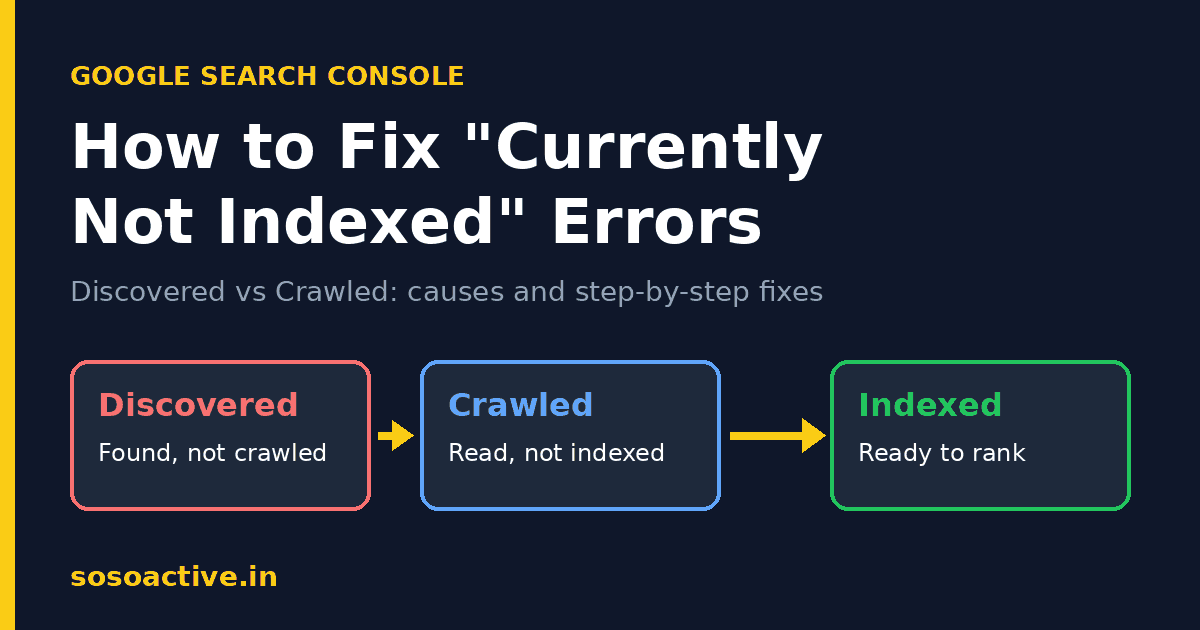
You published a new page, checked Google Search Console, and found it sitting under “Discovered – currently not indexed” or “Crawled – currently not indexed.” It’s frustrating, because a page that isn’t indexed can’t rank, and a page that can’t rank can’t bring you traffic.
The good news is that both statuses are fixable. The key is understanding that they are two different problems with different causes. In this guide, you’ll learn what each status means, why it happens, and how to fix it step by step.
What Does “Currently Not Indexed” Mean?
Google’s Page indexing report in Search Console shows which URLs on your site are indexed and which aren’t, along with the reason. Two of the most common (and most confusing) reasons are:
| Status | What Google did | Main problem |
|---|---|---|
| Discovered – currently not indexed | Found the URL but hasn’t crawled it yet | Crawling, priority, site quality signals |
| Crawled – currently not indexed | Visited and read the page, but chose not to index it | Content quality, duplication, value |
Both statuses are Google’s way of saying: “We know this page exists, but it isn’t in our index right now.” This is not a penalty. It is a prioritization decision, and you can influence it.
Part 1: How to Fix “Discovered – Currently Not Indexed”
What It Means
Google knows your URL exists (usually from your sitemap or an internal link) but hasn’t crawled it yet. Often, Google postponed the crawl to avoid overloading your server, or because it didn’t consider the page a priority.
Common Causes
- Crawl budget limits. Google allocates a limited amount of crawling to each site. Google explains this in its guide to managing crawl budget for large sites.
- Slow or overloaded server. If your hosting responds slowly or throws errors, Googlebot backs off.
- Weak internal linking. Pages with few or no internal links look unimportant.
- Low overall site quality or a very new domain. New sites haven’t yet earned much crawl demand.
- Too many low-value URLs. Tag pages, filter URLs, and thin archives can crowd out your real content.
Step-by-Step Fixes
1. Check your server health.
Open Search Console → Settings → Crawl stats. Look for spikes in server errors or slow response times. If your server is struggling, upgrade your hosting, enable caching, and use a CDN.
2. Strengthen internal linking.
Link to the stuck page from your homepage, category pages, and related high-authority posts, using descriptive anchor text. This tells Google the page matters. You can see how this works across the SoSoActive blog, where related guides link to each other.
3. Clean up your sitemap.
Your XML sitemap should contain only canonical, indexable, 200-status URLs. Remove redirects, noindexed pages, and 404s. If you’re unsure how to build one, follow Google’s sitemap overview and resubmit it in Search Console.
4. Reduce crawl waste.
Block or noindex low-value pages (internal search results, tag archives, parameter URLs) so Googlebot spends its time on pages that matter.
5. Improve page speed.
Compress images, minify CSS and JS, and use lazy loading. Faster pages are crawled more efficiently.
6. Request indexing, then be patient.
Use the URL Inspection tool → Request Indexing for your priority pages. Don’t spam it. Repeated requests do not speed things up.
Part 2: How to Fix “Crawled – Currently Not Indexed”
What It Means
This one is trickier. Google did crawl your page and read the content, and still decided not to add it to the index. In most cases, Google judged the page as not valuable enough compared with what’s already in the index.
Common Causes
- Thin or low-value content. Short, generic pages that add nothing new.
- Duplicate or near-duplicate content. Google picks one version and skips the rest. See Google’s guide on consolidating duplicate URLs.
- Content that isn’t helpful or original. Rewritten or scraped content, or AI text published without human review, edits, or real insight.
- Poor structure and user experience. Walls of text, intrusive ads, or confusing layouts.
- Orphan pages. No internal links point to them.
- Soft 404s. Pages that return a 200 status but look empty or “not found.”
Step-by-Step Fixes
1. Audit the page honestly.
Ask yourself: Does this page answer the search intent better, or at least differently, than the pages already ranking? Search your target keyword and compare. If top results offer examples, data, screenshots, and expert tips and yours doesn’t, you have your answer.
2. Make the content genuinely helpful.
Google’s guidance on creating helpful, reliable, people-first content is the best benchmark. Add:
- Original insights, real examples, or first-hand experience
- Clear answers to related questions (check the “People Also Ask” box)
- Visuals, tables, or step-by-step instructions
- An updated date and accurate, current information
3. Expand thin pages or merge them.
If you have several weak articles on similar topics, combine them into one comprehensive guide and 301-redirect the old URLs to it. One strong page beats five weak ones.
4. Fix duplicate content.
Use canonical tags correctly, avoid publishing the same text across multiple URLs, and make sure your preferred version (www vs non-www, HTTP vs HTTPS) is consistent.
5. Check for accidental blocks.
Make sure the page doesn’t carry a stray noindex tag. Google explains how these work in its block indexing documentation. Also confirm it isn’t blocked in robots.txt or canonicalized to another URL by mistake.
6. Build internal links with context.
Link from relevant, already-indexed pages using natural anchor text. A page with strong contextual links signals importance.
7. Earn a few quality external signals.
Sharing the page on social platforms and earning genuine backlinks from relevant sites helps Google discover and value it. For example, you can grow your Pinterest following to push new posts to a real audience, or create a Telegram channel and share each new article with your first 100 members.
8. Update, then request indexing.
After improving the page, use URL Inspection → Request Indexing, then monitor. Meaningful improvements can take days to a few weeks to be reflected.
Quick Troubleshooting Checklist
- Page returns a 200 status code
- No
noindextag and not blocked in robots.txt - Canonical tag points to itself
- Listed in a clean XML sitemap
- Linked from at least 3 to 5 relevant internal pages
- Content is original, in-depth, and better than competitors’
- Page loads fast on mobile
- Server shows no crawl errors
Common Mistakes to Avoid
- Resubmitting the same URL again and again. It doesn’t force indexing.
- Publishing in bulk. Dumping dozens of thin posts at once usually backfires.
- Ignoring site-wide quality. If much of your site is weak, Google may be reluctant to index new pages.
- Deleting pages in a panic. Improve or consolidate first, and delete only when a page truly has no value.
- Expecting instant results. Indexing is a process, not a switch.
How Long Does It Take to Get Indexed?
It varies. Strong, well-linked pages on established sites can be indexed within days. New sites or borderline-quality pages may take several weeks. If a page remains unindexed after major improvements and a month or so of waiting, revisit your content quality and internal links first.
Frequently Asked Questions
Is “Discovered – currently not indexed” bad for SEO?
Not necessarily. It becomes a problem when important pages stay in this state for a long time, because they can’t earn traffic until they’re indexed.
What’s the difference between “Discovered” and “Crawled” – currently not indexed?
“Discovered” means Google knows the URL but hasn’t crawled it. “Crawled” means Google visited and read it but decided not to index it. The first is mostly a crawling issue, and the second is mostly a quality issue.
Will requesting indexing fix it?
Only if the underlying issue is solved. A request just asks Google to re-evaluate. It doesn’t override quality or technical problems.
Can too many pages cause this problem?
Yes. Large numbers of low-value URLs can dilute crawl attention, so keep only useful pages indexable.
Do backlinks help with indexing?
Yes. Quality backlinks and internal links help Google discover pages and judge their importance.
Final Thoughts
Fixing “Discovered – currently not indexed” and “Crawled – currently not indexed” comes down to one principle: make your pages easy for Google to crawl and worth Google’s while to index. Fix technical roadblocks, strengthen internal links, and, most importantly, publish content that is genuinely useful and original.
Work through the checklist above, improve your priority pages one by one, and track progress in Search Console. Do this consistently, and your pages will move from “not indexed” to ranking and bringing in traffic. For more practical SEO and blogging guides, explore more articles on SoSoActive.