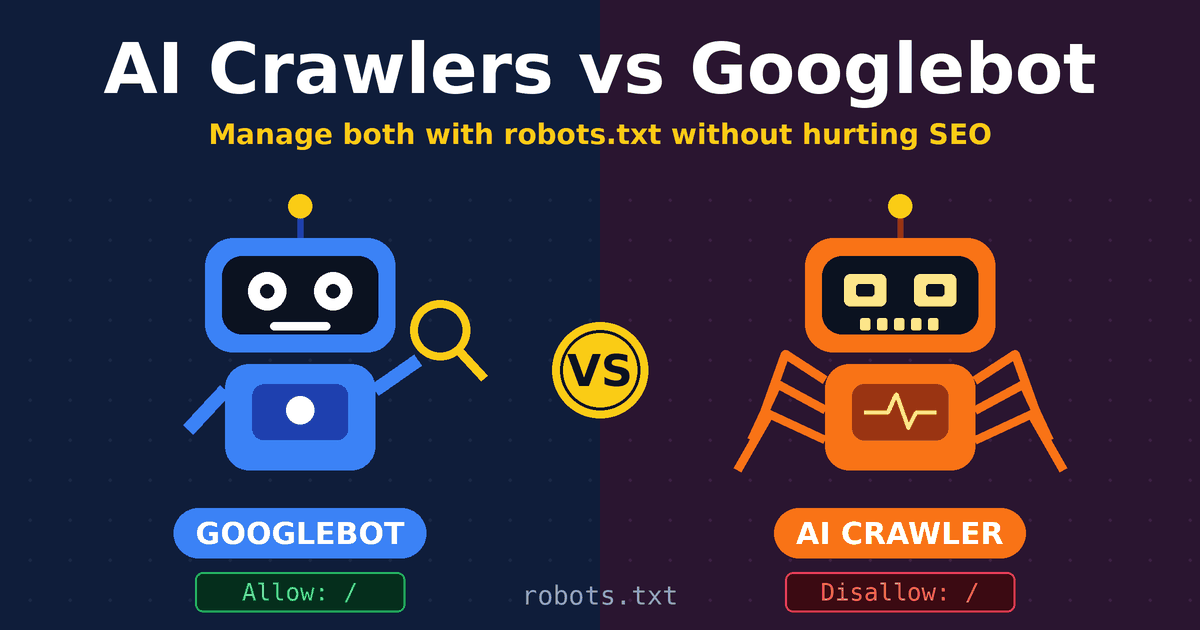
If you have looked at your server logs lately, you have probably seen names you did not recognize: GPTBot, ClaudeBot, OAI-SearchBot, Bytespider. Some of these bots read your content so an AI model can learn from it. Others fetch your pages so a chatbot can answer a question in real time. Googlebot, meanwhile, keeps doing what it has always done: crawling pages so they can appear in Google Search.
Treating all of these bots the same is a mistake. This guide explains how an AI crawler differs from Googlebot, what a user-agent string tells you, how to use robots.txt to allow or block bots, and what the SEO implications are. By the end, you will be able to manage search engine bots with a plan instead of guesswork. If you are new to technical SEO on SoSoActive, this is a good place to start.
Quick answer: Keep Googlebot and Bingbot fully allowed, decide separately about AI training crawlers and AI search crawlers, use robots.txt to state your preferences, and verify suspicious traffic by IP address instead of trusting a bot’s name.
What Is Googlebot, and Is Googlebot AI?
Google describes a crawler as a program that automatically discovers and scans websites, and Googlebot is its best-known one. According to Google’s overview of crawlers and fetchers, its clients fall into three groups:
- Common crawlers, such as Googlebot, which always follow robots.txt rules during automatic crawls.
- Special-case crawlers, such as AdsBot, which work under an agreement between the site and the Google product.
- User-triggered fetchers, which act when a person asks for something, for example Google Site Verifier.
People often search for “Googlebot AI,” but Googlebot is not an AI chatbot. It is a crawler that fetches pages for Google’s systems. If you want to control whether your content is used for Google’s generative AI products, Google gives you a separate robots.txt token for that, called Google-Extended. We cover it below.
What Is a User-Agent String?
A user-agent string is a line of text that a browser or bot sends with every request to say who it is. Your server records it in its logs, which is why it is the first thing to check when you want to identify a bot.
The Googlebot user agent contains the text Googlebot/2.1 and a link to Google’s bot page. Google publishes separate strings for Googlebot Smartphone and Googlebot Desktop, and the Chrome version number inside them changes over time. Google’s list of common crawlers recommends using wildcards for that version number when you filter logs.
Two terms get mixed up, so here is the difference:
- The user-agent string is the full text in the HTTP request, which you see in logs.
- The user-agent token is the short name you write on the User-agent line in robots.txt.
For Googlebot, the token is simply Googlebot. For the image crawler, it is Googlebot-Image. So when people search for the Google crawler user agent or the Google Bot user agent name, the practical answer is: use the token for robots.txt rules, and look for the Googlebot/2.1 string in your logs.
Why you should never trust a user-agent string alone
Anyone can send a fake user-agent. Google says so directly and tells site owners to verify. Its crawlers identify themselves in three ways: the user-agent header, the source IP address, and the reverse DNS hostname of that IP. Real Googlebot hostnames match googlebot.com patterns, and the IP ranges are published. Google’s guide to verifying requests from Google walks through the steps.
This matters in practice. The SEO agency Stridec reports in its AI crawlers vs Googlebot comparison that it has seen crawlers use user-agent strings containing Googlebot while coming from non-Google IP addresses.
Compare AI Crawler and Googlebot
The core difference is what happens to your content afterward. Googlebot feeds a search index that produces a ranked list of links. An AI crawler feeds a language model, either for training or for generating a live answer.
| Factor | Googlebot | AI crawlers |
|---|---|---|
| Main purpose | Fetch pages for Google Search | Collect text for model training, or fetch pages for live AI answers |
| What users see | A ranked list of links | A generated answer or citation |
| robots.txt | Always respected for automatic crawls | Varies. Major training bots say they honor it; user-triggered fetchers may not |
| Crawl pattern | Adjusts to your server’s health | Can arrive in bursts, according to Stridec’s log analysis |
| How to verify | Google’s published IP ranges and reverse DNS | Published IP lists from some operators, for example OpenAI |
| Direct effect on Google rankings | Yes | None from blocking, based on Stridec’s testing |
The numbers Stridec shares on bandwidth and request rates come from its own client logs, so treat them as one agency’s observations rather than universal figures. Your own server logs are the better guide.
The Three Jobs of AI Crawlers
Not every AI bot is doing the same thing. HG Insights explains in its AI crawlers guide that AI engines crawl for two main reasons, training and grounding. A third group covers fetches triggered by a user.
- Training crawlers sweep the web in bulk to build or refresh a model’s knowledge. GPTBot, ClaudeBot, and Google-Extended are examples.
- Search or grounding crawlers fetch pages so an AI tool can answer a question with current information. OAI-SearchBot is one.
- User-triggered fetchers visit a page because a person asked an AI assistant to open it. ChatGPT-User is one.
What OpenAI says about its bots
OpenAI’s crawler documentation is a good model of how clear this can be. OAI-SearchBot is used to surface sites in ChatGPT’s search features, and sites that opt out will not be shown in ChatGPT search answers, although they can still appear as navigational links. GPTBot is tied to training. ChatGPT-User handles certain user actions, and because a person initiates those, OpenAI notes that robots.txt rules may not apply.
The key point is that these settings are independent. You can allow the search crawler and still disallow the training crawler.
Perplexity and the robots.txt debate
HG Insights also notes that Perplexity has described its Perplexity-User fetcher as an agent rather than a bot, which has caused friction with publishers over whether robots.txt applies. If you need a hard block on a bot that does not follow robots.txt, you will need server-level or firewall rules, not just a robots.txt line.
Google’s Other Crawlers You Should Know
Google runs more than Googlebot, and a few of these show up in the searches people make about this topic.
- GoogleOther is a generic crawler that product teams may use for one-off crawls, such as internal research and development. Google says crawl preferences for GoogleOther do not affect any specific product.
- Google-Extended is a standalone token, not a separate bot. It lets you manage whether content Google crawls may be used to train future Gemini models and to ground answers in Gemini apps. Google states it does not affect inclusion in Google Search and is not a ranking signal.
- Google-InspectionTool is what runs behind Search Console’s URL Inspection and the Rich Results Test. If you are looking for a Googlebot crawler test, those tools are the official way to see how Google fetches a page.
- Googlebot-Image, Googlebot-Video, and Googlebot-News each have their own robots.txt token.
How to use Googlebot (and what about Googlebot login?)
You do not operate Googlebot. You guide it. You do that with a clean robots.txt file, a working sitemap, strong internal links, and a fast, stable server. Our sitemap guide for beginners covers the sitemap side, and if pages are being crawled but not indexed, see how to fix Discovered and Crawled currently not indexed.
As for Googlebot login, Googlebot does not sign in to accounts. Content that sits behind a login is generally not something it can crawl, so do not expect private or members-only pages to be indexed.
SEO Implications of AI Crawlers
1. Rankings in Google
Blocking AI crawlers does not directly change how Google ranks you, because Googlebot works independently. That is also Stridec’s conclusion from testing on client sites. Your Google visibility still depends on Googlebot being able to crawl and understand your pages.
2. Server load and crawl budget
Bots compete for your server’s resources. Google’s July 2026 update to its crawl budget documentation says every site starts with the same conservative crawl capacity limit, that the limit is shared across Google’s crawlers, and that it adjusts over time when demand exists and the site stays healthy, as covered by Search Engine Roundtable. A slow or overloaded server can therefore hold back crawling. Google’s guide is written for very large sites, so most blogs do not have a crawl budget problem. They may still have a server speed problem if aggressive bots eat resources.
3. Visibility in AI answers
If you block a search-focused AI crawler, you reduce your chance of appearing in that tool’s answers. Per OpenAI, opting out of OAI-SearchBot means your site will not be shown in ChatGPT search answers. As search becomes more multimodal and AI-driven, which we explain in multimodal search explained, that visibility has real value.
4. Blocking everything can backfire
HG Insights cites research from Rutgers and Wharton, published in December 2025, which found that publishers who blocked AI crawlers saw a 23.1% drop in total traffic without a reliable reduction in how often they were cited. That is one study, reported secondhand, and a drop in traffic does not prove the block caused it. Still, it is a good reason not to block everything on principle.
5. What other sites are doing
A dataset published on Mendeley Data, the AI Crawler Access Study, checked 261 readable robots.txt files from major websites in October 2026. It found that 35% block at least one AI training crawler and 21% block at least one AI search crawler. CCBot and Bytespider were blocked most often, on 28.7% of sites each, while OAI-SearchBot was blocked least, on 11.5%. The sample is a hand-picked list of well-known sites, so it shows a trend, not the whole web. Still, the pattern is clear: many publishers block training bots and leave search bots open.
How to Use robots.txt to Manage Bots
A robots.txt file sits at the root of your domain, for example yourdomain.com/robots.txt. It is a set of requests that well-behaved bots read before crawling. Google’s guides to creating a robots.txt file and how it interprets the specification are the best references.
The basic building blocks are simple:
- User-agent names the bot the rules apply to.
- Disallow tells that bot not to crawl a path.
- Allow makes an exception inside a blocked path.
- Sitemap points bots to your XML sitemap.
Example: allow search engines, limit AI training bots
This is one reasonable setup for a content blog that wants search traffic and AI search visibility but prefers not to feed training datasets. Adjust it to your own goals.
# Search engines: full access
User-agent: Googlebot
Allow: /

User-agent: Bingbot
Allow: /

# AI search crawler: allowed so you can appear in ChatGPT search
User-agent: OAI-SearchBot
Allow: /

# AI training crawlers: blocked
User-agent: GPTBot
Disallow: /

User-agent: ClaudeBot
Disallow: /

User-agent: CCBot
Disallow: /

User-agent: Bytespider
Disallow: /

# Google's AI training control (does not affect Search)
User-agent: Google-Extended
Disallow: /

# Everyone else
User-agent: *
Disallow: /wp-admin/
Allow: /wp-admin/admin-ajax.php

# Replace with your real sitemap URL
Sitemap: https://www.yourdomain.com/sitemap.xml
How to block bots with robots.txt the right way
- Use specific tokens. A bot follows the group that matches its own name most specifically, so a rule for GPTBot will not accidentally block Googlebot.
- Never add a blanket Disallow for all bots by accident. A single stray Disallow: / under User-agent: * can block search engines too.
- Remember robots.txt is a request, not a lock. Compliant bots follow it, but bad bots can ignore it. Use authentication, server rules, or a firewall for anything truly private.
- Do not use it to remove pages from Google. Blocking crawling is not the same as removing a page from the index. Use a noindex tag for that.
- Test after every change. Fetch your live file and check that your key pages are still allowed for Googlebot.
- Know the Google limitation. Google does not support the crawl-delay directive. To slow Googlebot, follow Google’s guide to reducing the crawl rate.
Googlebot vs Bingbot
Both are search engine crawlers, and both respect robots.txt, so the same rules apply. The practical differences are small but useful to know.
- User agent: Bingbot identifies itself with bingbot/2.0 and a link to Bing’s bot page.
- Verification: Microsoft provides a Verify Bingbot tool and has published Bingbot IP ranges, as explained by Search Engine Land.
- Crawl speed: Because Google ignores crawl-delay, you control Googlebot through Google’s own methods. Bing Webmaster Tools offers a Crawl Control feature for hourly crawl limits.
- Blocking: You rarely want to block Bingbot, since it can lead to indexing and ranking issues in Bing.
Best Practices for Web Crawling and Managing Search Engine Bots
- Check your logs first. Find out which bots actually visit before you write rules. Look at how often each one comes and what it requests.
- Verify, then block. Confirm a suspicious bot by IP address and reverse DNS before treating it as real or fake.
- Separate your goals. Decide on search visibility, AI search visibility, and AI training as three different choices.
- Keep Googlebot unrestricted on content you want ranked. Do not block CSS, JavaScript, or key pages that Google needs to render your site.
- Protect server speed. Use caching and a fast host so bursts from any bot do not slow real visitors.
- Keep a clean sitemap and internal links. These help every crawler find your best pages.
- Add structured data where it fits. Machines read it more easily, as we show in our video schema markup guide.
- Review quarterly. New AI bots appear often, and operators change their documentation. Google’s crawler list was updated as recently as October 2026.
Frequently Asked Questions
What is the difference between an AI crawler and Googlebot? Googlebot collects pages for Google Search and shows results as links. An AI crawler collects pages either to train a language model or to supply live information for an AI answer.
Does blocking AI crawlers hurt my Google rankings? Not directly. Googlebot is a separate crawler. But blocking AI search crawlers can reduce your visibility in AI tools, and one study reported by HG Insights linked broad blocking to traffic losses.
Is Googlebot AI? No. Googlebot is a crawler. Google-Extended is the separate control for whether your content is used for Gemini training and grounding.
How do I run a Googlebot crawler test? Use the URL Inspection tool in Google Search Console or the Rich Results Test. Both use Google-InspectionTool to fetch your page.
What is GoogleOther? It is a generic Google crawler used for things like one-off research crawls. Blocking it does not affect a specific Google product.
Can I block a bot with robots.txt if it ignores robots.txt? No. For bots that do not comply, use server-level rules or a firewall after verifying their IP addresses.
Conclusion: Identify, Test, Control
Looking at what people search for around this topic, three needs stand out. People want to identify bots, with searches like Googlebot user agent and Google crawler user agent. They want to test how Google sees their pages, with searches like Googlebot crawler test. And they want to control access, with searches like how to use robots.txt and block bots with robots.txt. Those three steps are also the right order for your own bot management.
Start by identifying who visits, using user-agent strings and verified IP addresses. Test that Googlebot and Bingbot can reach the pages you care about. Then control the rest with specific robots.txt rules, keeping search crawlers open and making a deliberate choice about AI training and AI search bots.
There is no single correct policy. A news publisher, an online store, and a small blog will each choose differently. What matters is that you choose on purpose, check your logs, and review the decision as new crawlers arrive. If you are also building content that reads naturally to people and machines alike, our guide on how to check if text is AI-written is a useful companion read.